Cookieless Embedding Troubleshooting
If you haven't already, please see the Cookieless Embedding Guide for a high-level overview of cookieless embedding and how it's supposed to work. Most cookieless embed issues are resolved by the following:
- Make sure Cookieless Embedding is enabled in your Looker instance in Admin > Platform > Embed
- Use @looker/embed-sdk on your frontend so that it can handle all token passing to the Looker iframe
- Make sure your endpoints that use
acquire_embed_cookieless_sessionandgenerate_tokens_for_cookieless_sessionare passing the user agent from your application backend to the Looker API request - Your application's domain is in Looker's Embedded Domain Allowlist
- Look at each entry of the Embedded Domain Allowlist and make sure none of them end with a trailing slash
You can use the below as a specific troubleshooting guide.
Common Issues
Content cannot be displayed (with Try Again button)

Content cannot be displayed (without the Try Again button)

No embed_domain query parameter
Could you open up your iframe URL and check for the embed_domain query parameter? It should match the domain in which the iframe is loaded (window.location.origin).
targetDomain is not allow listed
Check the browser console for the following error:
Domain check failed: targetDomain is [your embed domain]. Verify domain has been allow listed in the embed admin page.
See Embedded Domain Allowlist for more information. Also, most browsers will copy and paste your url with a trailing slash, the embed domain should not have a trailing slash; be carefuly when copy pasting.
Missing or Misconfigured User Agent
The user agent is an important component of the session security. Ensure it is passed correctly from your backend to the Looker API.
Navigation and api tokens are not refreshing
The most likely cause is that you are re-using the values from a cached session and your TTL's are not properly passed to Looker. Looker will emit the session:tokens:request Post Message event when the ttl's are within 60 seconds of expiring. If you are using a cached value (not directly from the Looker API) you will need to re-calculate the TTL's and pass them to Looker.
Single Sign-on failure
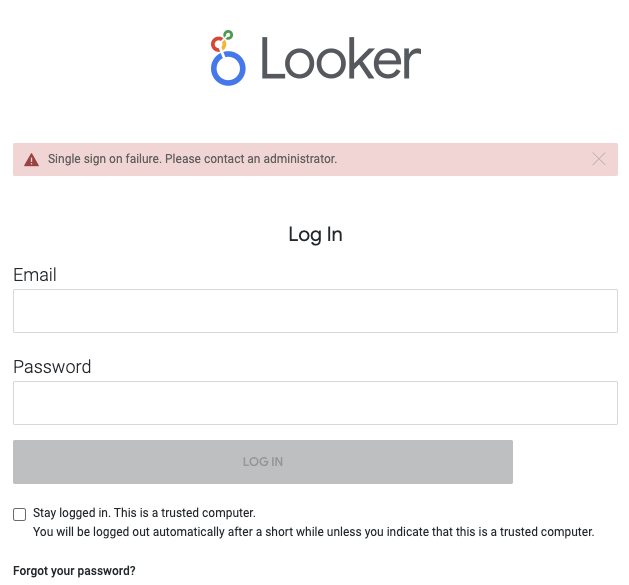
/login/embed/ 302's to /login
The most likely cause is that you are not passing through the User Agent from your application backend to Looker in the acquire_embed_cookieless_session API call. When Looker tries to load the iframe with the embed_authorization_token query parameter, it checks the User Agent.
Example javascript with @looker/sdk-node:
function acquireEmbedCookielessSession(
  userAgent,
  user,
  session_reference_token
) {
  return sdk.ok(
    sdk.acquire_embed_cookieless_session(
      {
        ...user,
        session_reference_token,
      },
      {
        headers: {
          "User-Agent": userAgent,
        },
      }
    )
  );
}
Short-lived authentication tokens
Authentication tokens are short-lived (30 seconds) and are used to start an iframe session. If the authentication token is not used within the 30 second window, you will receive the Single Sign on failure.
Single use authentication tokens
Authentication tokens are single use and are used to start an iframe session. If the authentication token is used more than once, you will receive the Single Sign on failure.
Uncommon Issues
Changing user in acquire_embed_cookieless_session but the changes are not reflected in the iframe.
It's common for your application to want to change a user's permissions if you are monetizing different levels of persmissions of Looker embeds. You may run into a scenario where the changes you make to the user aren't immediately reflected in the iframe. This is most likely because you are re-using a session_reference_token from a cached value. If the session_reference_token is provided and the session has not expired, the embed user is not updated. This is done for performance reasons on Looker's backend. If you need to update the embed user in some way, you must generate a new session_reference_token and cache it's value.