db-no-results-layout-filter Guide
This document describes the design, installation, and execution workflow of the main.py script, designed to be executed directly via uv run.
Operational Workflow
The script processes user and dashboard replication request in six sequential steps:
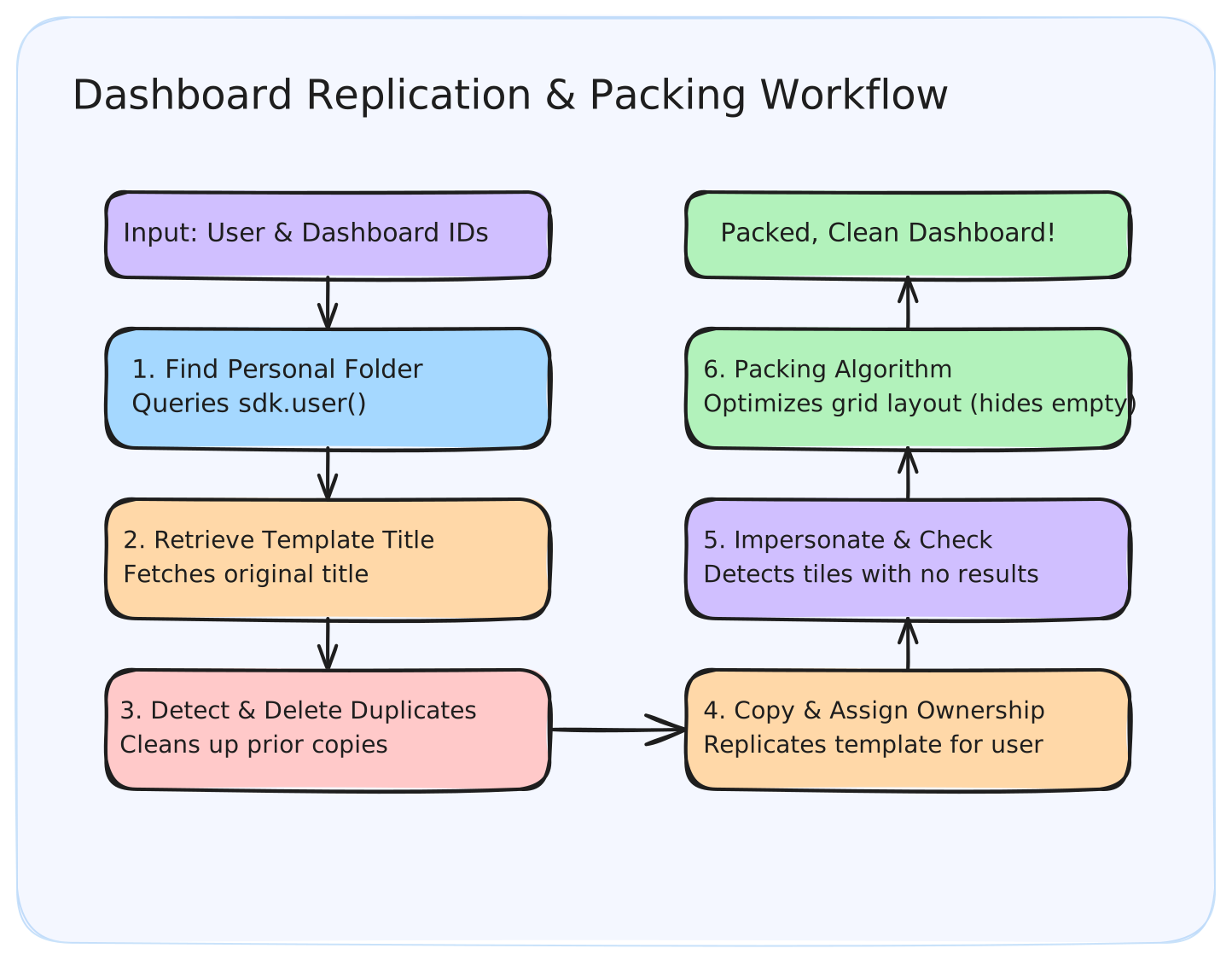
1. Find User Personal Space
Queries sdk.user() to retrieve personal_folder_id (falling back to home_folder_id).
2. Retrieve Template Title
Looks up the original dashboard template to fetch its title.
3. Duplicate Detection & Deletion
Queries the personal folder for any existing dashboard with the exact same title. If any are found, it deletes them.
4. Copy and Reassign Ownership
Duplicates the template into the target space and assigns ownership to the target user.
5. Check for No Results (Empty Tiles)
Impersonates the user, executes each query on the dashboard, and tracks which elements returned 0 rows.
6. 24-Column Greedy Layout Packing Algorithm
The script maps each layout using build_template_component_map, partitions components via partition_active_and_inactive_tiles, sets empty tiles to hidden (deleted=True), and passes active tiles to run_packing_algorithm(active_pairs) which:
- Sorts active tiles by their original template
rowandcolumn. - Evaluates vertical constraints: a tile is never placed above another tile that had a strictly lower original row coordinate.
- Fits each tile into the first available non-overlapping slot within the 24-column boundary.
- Returns the final calculated row, column, width, and height coordinates.
How to Run the Script
Prerequisites
Create a .env file from the example template:
cp .env.example .env
Then populate the .env file with your Looker SDK environment variables:
LOOKERSDK_BASE_URL="https://your-looker-instance.com:19999"
LOOKERSDK_CLIENT_ID="your_client_id"
LOOKERSDK_CLIENT_SECRET="your_client_secret"
Run Command
Execute the script with uv run while loading the .env file:
uv run --env-file .env main.py <looker-user-id> <dashboard-template-id>
Iterating Over Multiple Users
If you want to run this script for multiple users, you can write a simple wrapper script that utilizes sdk.search_users() to find target users and iterate over them:
import subprocess
import looker_sdk

# Initialize Looker SDK
sdk = looker_sdk.init40()

# Define the template dashboard to replicate
template_id = "12345"

# Search for all active (non-disabled) users
active_users = sdk.search_users(is_disabled=False, fields="id,email")

for user in active_users:
    if not user.id:
        continue

    print(f"Processing dashboard for user: {user.email} (ID: {user.id})")

    # Execute main.py as a subprocess for each user
    subprocess.run([
        "uv", "run", "--env-file", ".env", "main.py",
        str(user.id),
        template_id
    ], check=True)